






5
Results for memory usb
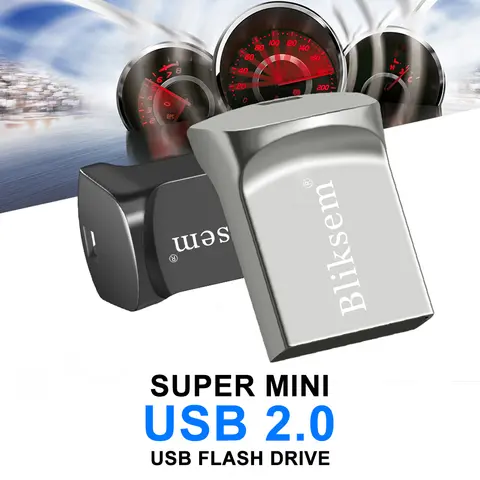
The best memory USB devices offer a convenient and reliable way to store and transfer data, especially for users who need portable storage solutions for photos, videos, documents, and more. When choosing a memory USB, it's important to consider factors like storage capacity, speed, compatibility, and durability. This article provides a comprehensive guide to help you understand what a memory USB is, how to choose the right one for your needs, and which models perform best in real-world scenarios. When users search for memory USB, they are typically looking for a portable storage device that connects via USB and can be used to store and transfer digital files. This search intent is often driven by the need to back up data, transfer files between devices, or expand storage on a camera, laptop, or smartphone. A memory USB is essentially a flash drive that combines the functionality of a USB stick with the storage capabilities of a memory card, making it a versatile tool for everyday computing. For example, imagine you're a traveler who wants to store high-resolution photos and videos from your trip without relying on cloud storage. You need a memory USB that can hold large files and transfer them quickly. Here's how to choose the best one:
When shopping for a memory USB, you may also come across terms like memory USB drive, memory USB 1TB, memory stick USB, and memory card USB. These are all variations of the same concept, with differences in design, capacity, and connectivity. For example, the memory USB 1TB is ideal for users who need massive storage, while the memoriasusb is a Spanish term for USB memory sticks. The memory stick with USB C is a modern option for users with USB-C enabled devices, and the memory stick USB mini is a compact version suitable for travel. In conclusion, the best memory USB for you depends on your specific needs, including storage capacity, transfer speed, and device compatibility. By following the steps outlined above and considering the features of different models, you can find a memory USB that meets your requirements and enhances your digital workflow.
- Determine your storage needs: Decide how much data you need to store. A 128GB or 256GB memory USB is suitable for most users, while 1TB options are ideal for professionals or heavy users.
- Check the transfer speed: Look for memory USBs with USB 3.0 or USB 3.1 interfaces for faster data transfer. Some models, like the memory USB super, offer read speeds of up to 100MB/s or more.
- Ensure compatibility: Choose a memory USB with a USB-C or USB-A connector depending on your devices. For example, the memory stick with USB C is ideal for modern laptops and smartphones.
- Consider durability and design: A rugged, waterproof memory USB like the DR Memory USB is great for outdoor use. Compact models like the memory stick USB mini are perfect for carrying in a pocket or keychain.
- Look for additional features: Some memory USBs come with built-in camera support, such as the memory USB camera, which allows direct file transfer from a digital camera. Others, like the memory player USB, include audio playback capabilities.
- Memory USB
- A portable storage device that combines the functionality of a USB flash drive and a memory card, allowing users to store and transfer digital files easily.
- USB-C
- A reversible USB connector that supports faster data transfer and charging speeds, commonly used in modern smartphones and laptops.
- Read/Write Speed
- The rate at which data can be transferred to or from a memory USB, usually measured in megabytes per second (MB/s).
| Model | Capacity | Interface | Read Speed | Write Speed | Special Features |
|---|---|---|---|---|---|
| Memory USB Super | 256GB | USB 3.1 | 100MB/s | 40MB/s | High-speed transfer, compact design |
| DR Memory USB | 128GB | USB 3.0 | 80MB/s | 30MB/s | Waterproof, shockproof |
| Memory USB Camera | 64GB | USB 2.0 | 25MB/s | 10MB/s | Direct camera file transfer |